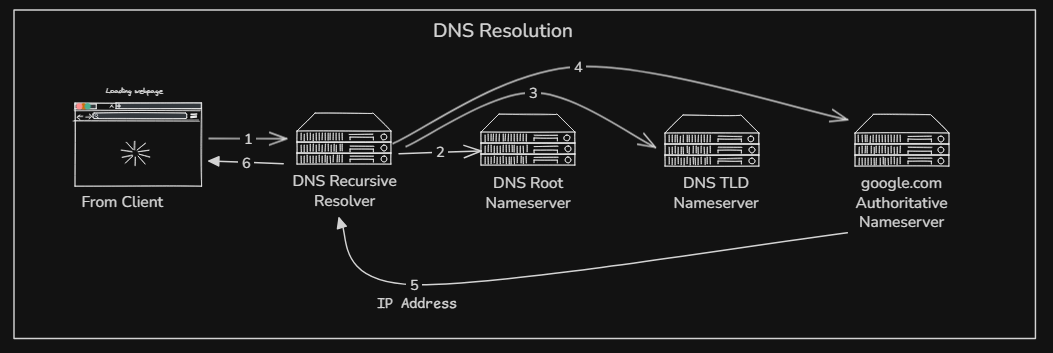
Working of DNS Resolution
What is DNS and why name resolution exists
DNS →
Domain name server works like a phonebook, which translate from contact name to contact number.
Analogy :
| Person → | Domain Name |
| Contact No. → | IP Address |
DNS resolution / DNS Lookup →
Resolution stands for resolving problem, and the problem with IP Addresses is the lengthy no. which is hard to understand by human for every single website. So DNS works as a phonebook and the process of resolving domain name into machine readable IP address is what we call DNS resolution.
What is the dig command and when it is used
So basically dig (domain information groper) is a diagnostic tool to inspect DNS resolution, making it very essential tool for network administrators, developers and security professionals. There is another tool as well named nslookup (name server lookup), dig command having superior troubleshooting capabilities, detailed output, and accuracy.
General SYNTAX : dig [server] [name] [type]
dig returns one or multiple different sections about the Hostname’s DNS records depending on the command’s syntax. Below is the example of dig example.com
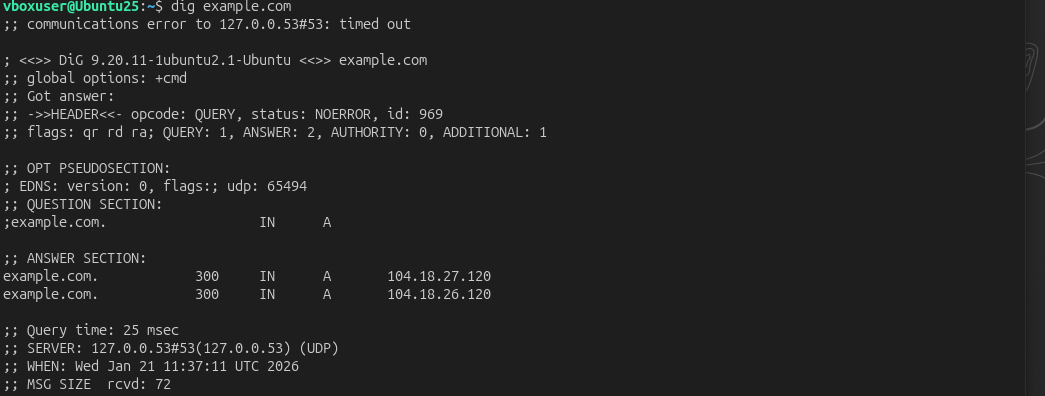
Usually most sections which are commonly need to understand:
Question section : What you asked (e.g. google.com IN A)
Answer section : The final data you wanted (IP Address)
Authority section: The servers that are in charge of the domain you queried.
Common commands :
- A record detail :
|
| Returns the A records found at a hostname. |
- All records :
|
| Returns all records for a hostname, including NS and SOA records. |
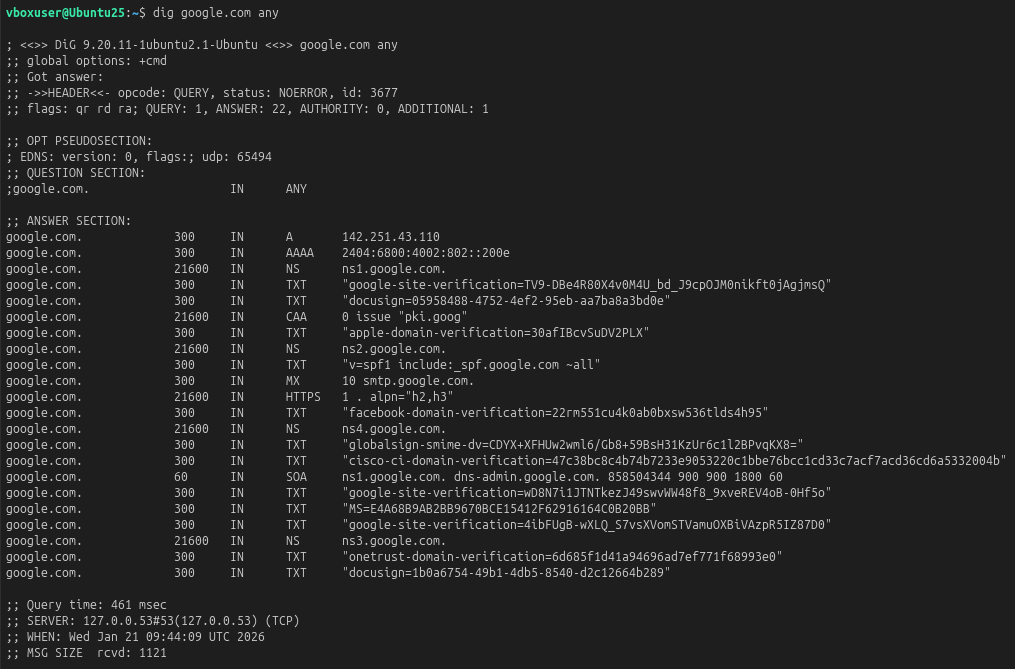
- With respect to record type :
|
| Queries a hostname’s name server directly instead of your ISP’s resolver. Include the record type parameter to retrieve records of a specific type at a hostname. |
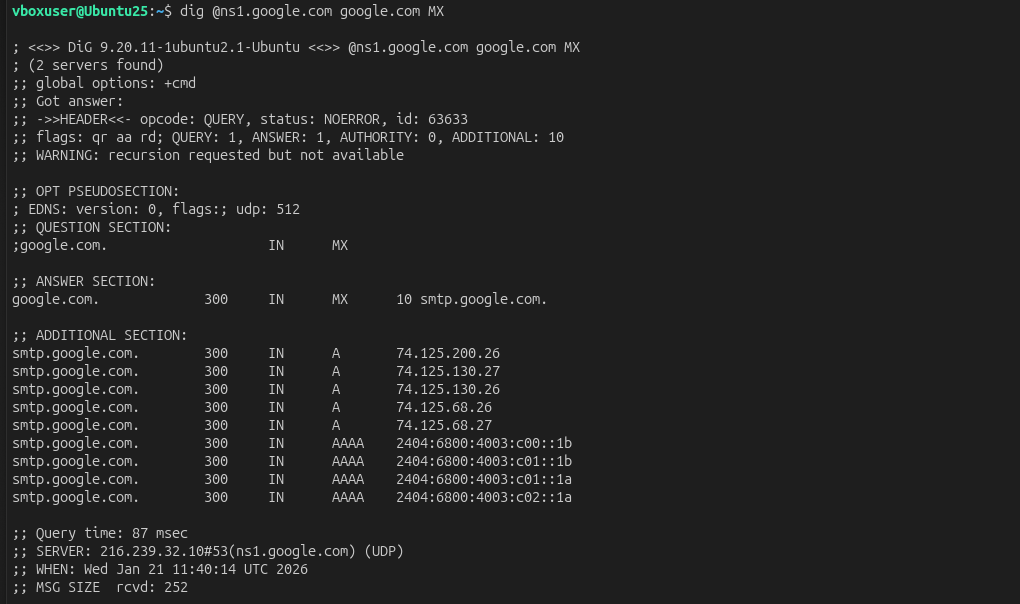
- Return IP Address → A record :
|
| Only returns the IP addresses for all A records at a hostname. |

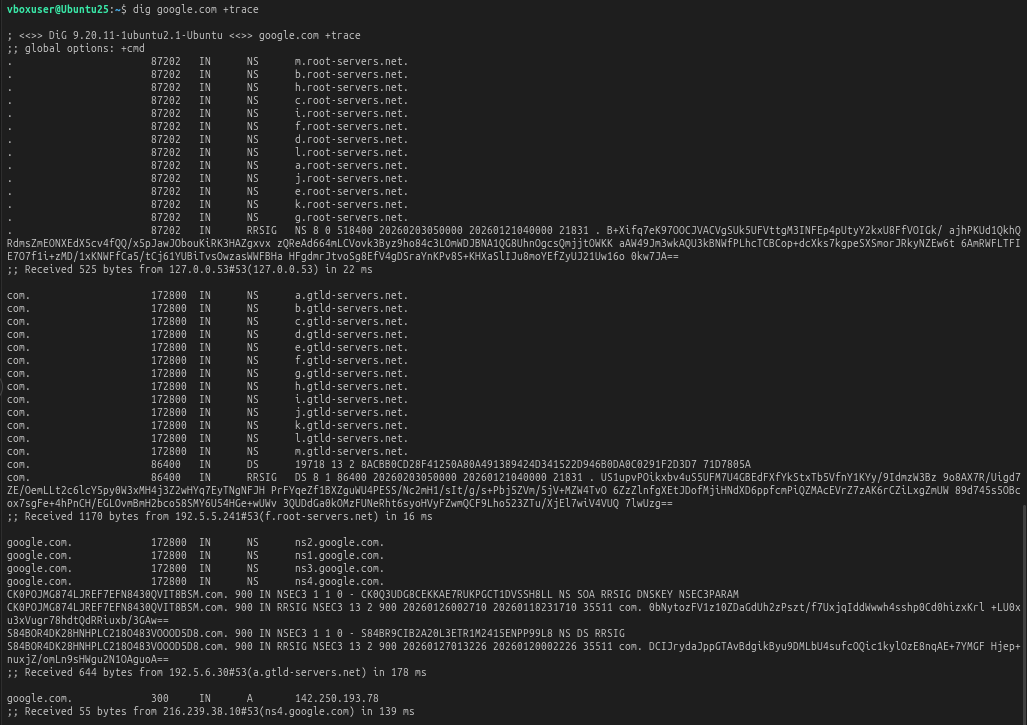
- Tracing all servers :
|
| Adding |
Understanding dig google.com and the full DNS resolution flow
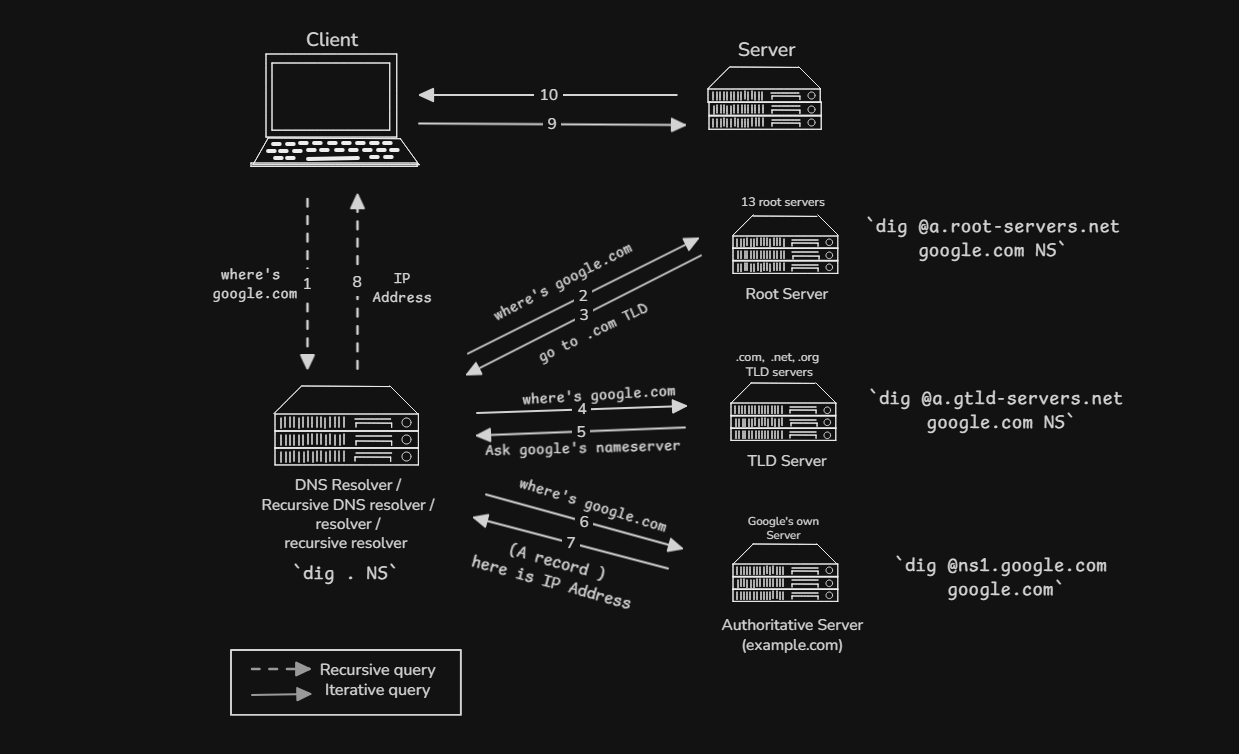
The Root Servers :
dig . NS
Finding all the root nameservers so they don’t know where google.com is available but they do know the location of .com TLD (Top lever domain) server.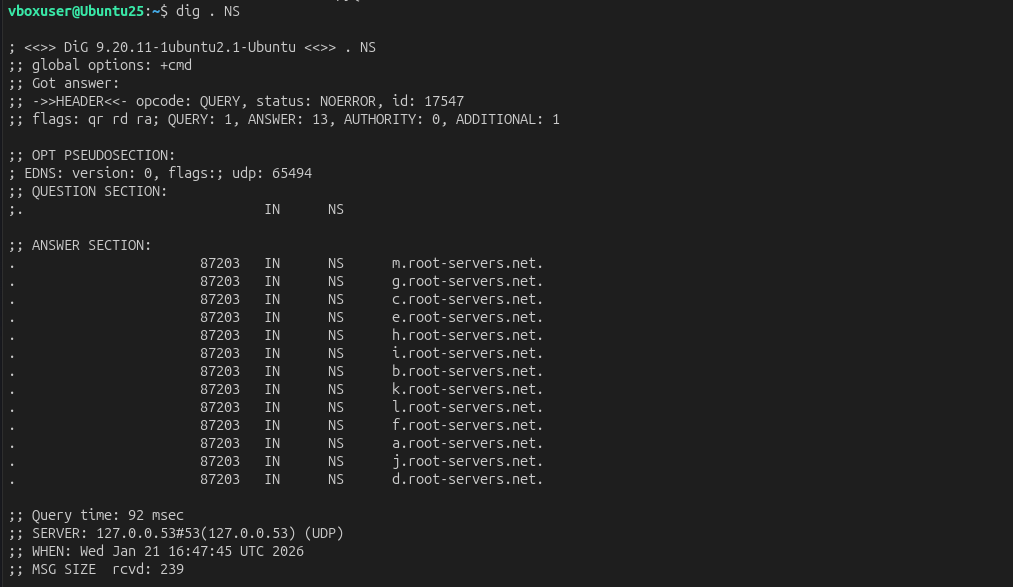
The TLD Servers :
dig com NS
This command gives the .com TLD servers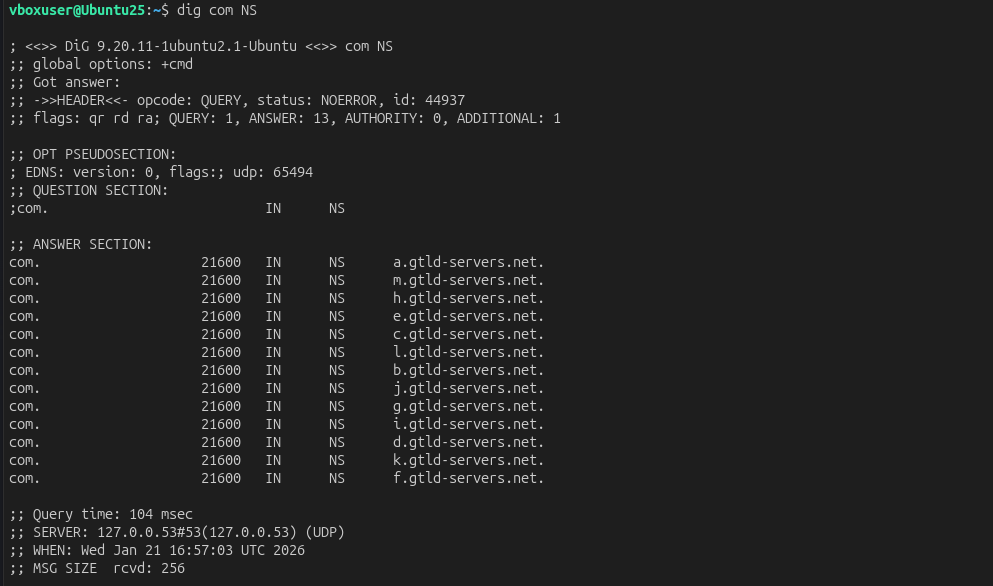
From there, we can specifically ask one of the root nameserver that
who handles .com →dig @a.root-servers.net google.com NS(e.g. a.gtld-servers.net)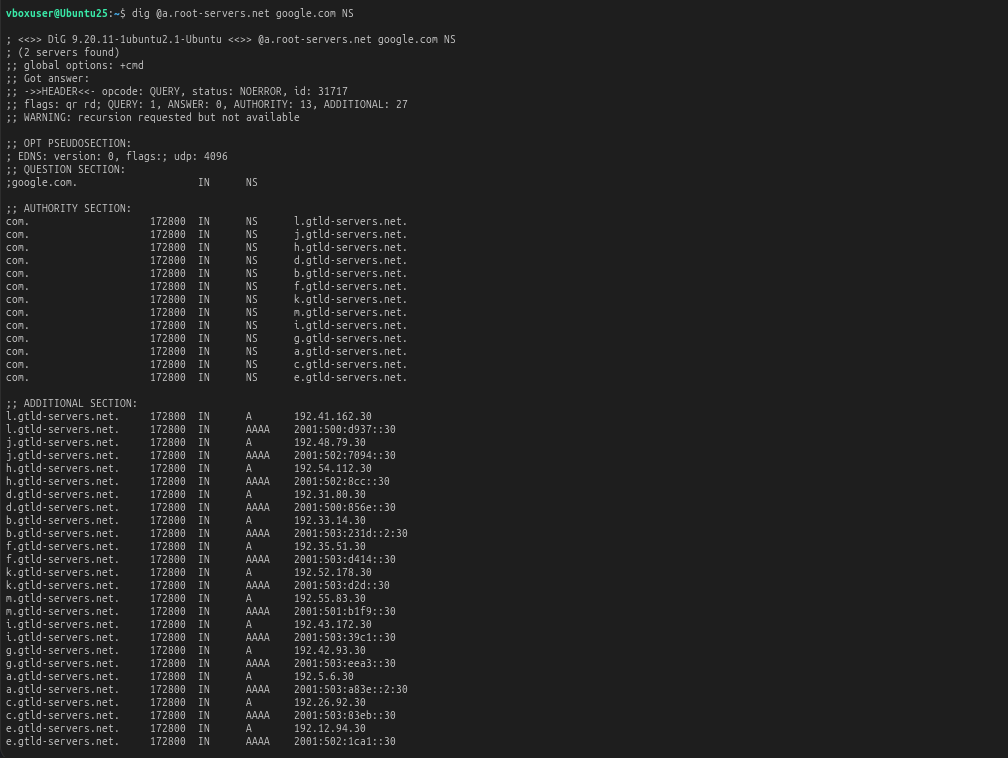
The Authoritative Servers :
dig google.com NS
It will direct all the Google’s own Authoritative servers associated with google.com.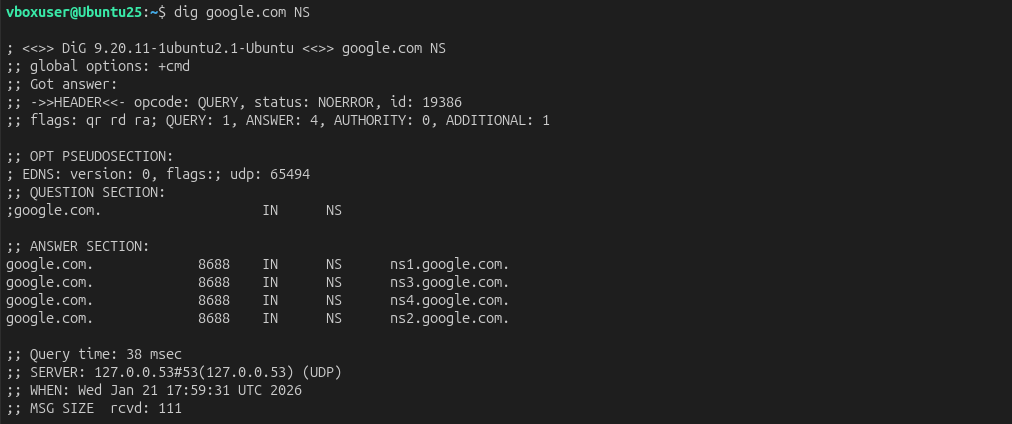
From there, TLD server can redirect which of the authoritative servers are there associated with google.com →
dig @a.gtld-servers.net google.com NS(e.g. ns1.google.com : these servers are final source of truth where google.com can be translated into IP address.)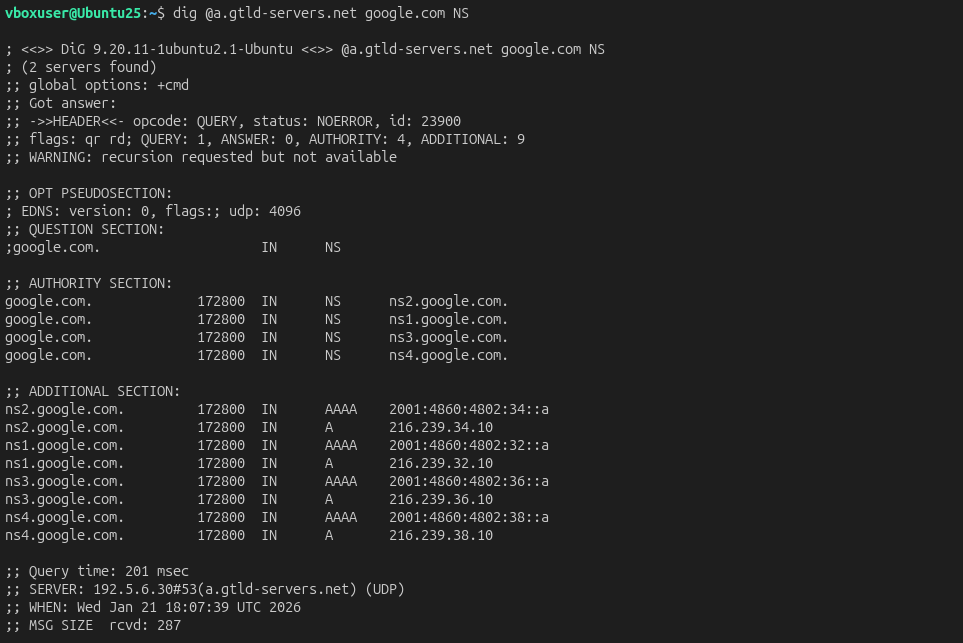
The Final IP Address :
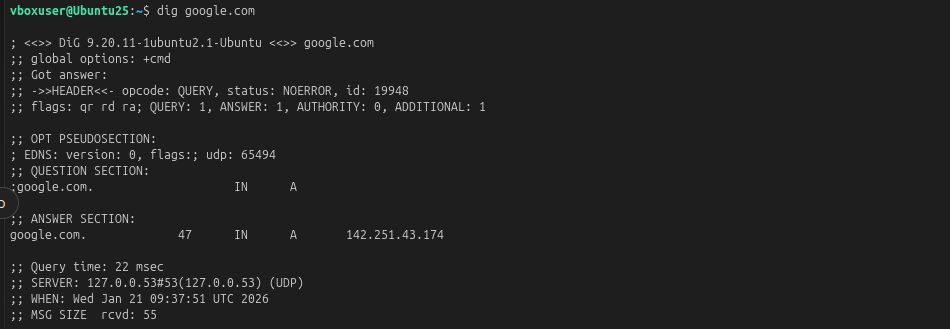
dig google.com
Here you can finally translate through that what’s the IP address ( A record ) associated with google.com.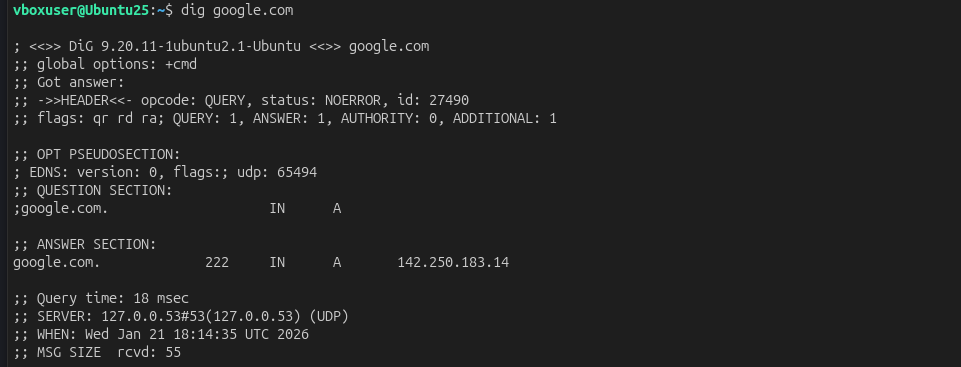
As well, we can ask specifically from the authoritative the same through command →
dig @ns1-servers.net google.com( e.g. IP address → 142.250.193.70)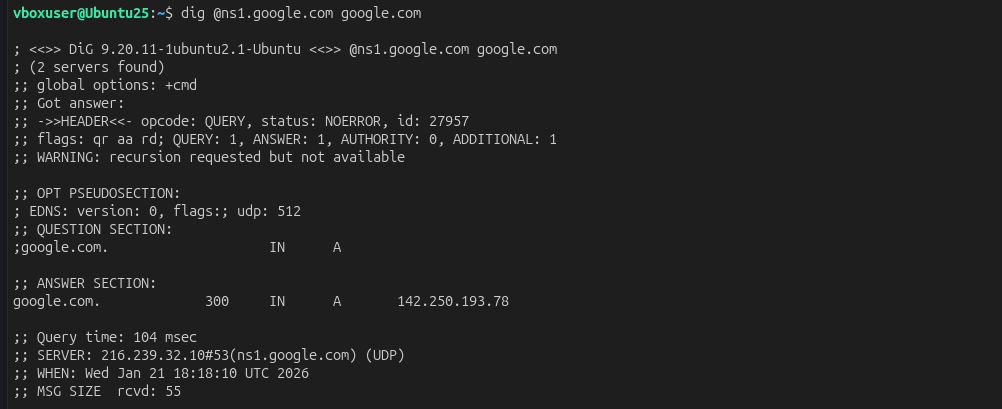
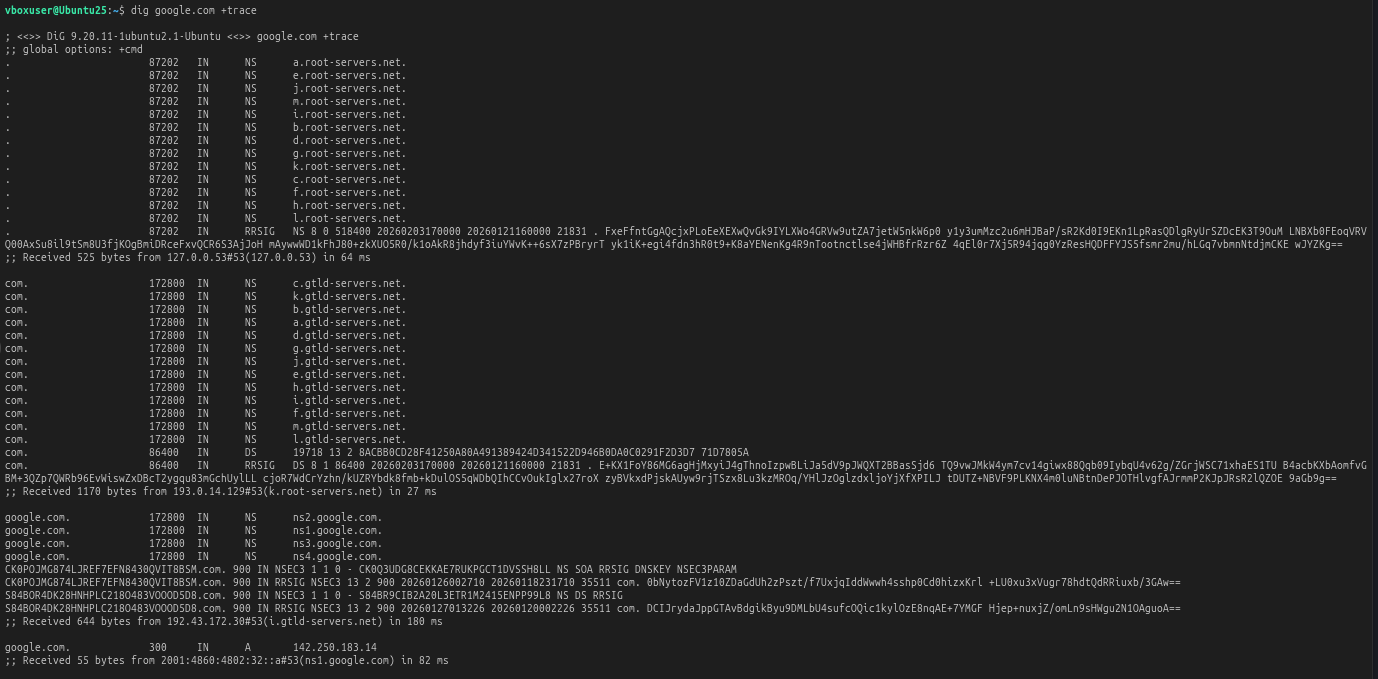
DNS Resolution Flow with +trace
By using command : dig google.com +trace you can track all servers from root nameserver to IP Address.